In December 2026, we plan to publish new Crossref Member Practices which will set out the standards we expect all Crossref members to meet. From August to October 2026 we are consulting with our members on a draft of these Member Practices. This blog provides the background to this, and explains how you can share your views.
The Crossref community in India is as diverse as the region that it represents, comprising 1605 members, 11 sponsoring organisations, and 5 ambassadors, who between them cover the length and breadth of this country. Between November 2025 and March 2026, we organised three webinars focused on supporting this community with best metadata and publishing practices. We collaborated with the Directory of Open Access Journals (DOAJ) and the Committee on Publication Ethics (COPE) to embed understanding of metadata’s role in the greater context of publishing integrity.
PID strategies are being written around the world right now, and the decisions being made will shape the scholarly record for decades. After 25 years running open scholarly infrastructure—now on behalf of 25,000 members in 167 countries—Crossref has an informed perspective on what those decisions should ideally rest on. Today we’re setting it out in our first position paper: Persistent identifiers in research infrastructure policy: the need for a holistic approach. You can read it online or download the PDF; it’s a 16-minute read.
Research is rarely limited to a single contributor performing a single role. Behind every research output are people contributing in various ways: software development, data analyses, methodology design, and much more. Often, the same person contributes in several of these ways. Until now, Crossref metadata could only capture part of that picture, but this is changing with Schema 5.5.
Not sure if you’re using iThenticate v1 or iThenticate 2.0? More here.
Not sure whether you’re an account administrator? Find out here.
Private Repository - ScholarOne only
The Submitted Works repository (or Private Repository) is a new feature in iThenticate 2.0. The only MTS that currently integrates with this feature is ScholarOne. This feature allows users to find similarity not just across Turnitin’s extensive Content Database but also across all previous manuscripts submitted to your iThenticate account for all the journals you work on. This would allow you to find collusion between authors or potential cases of duplicate submissions.
How does this work?
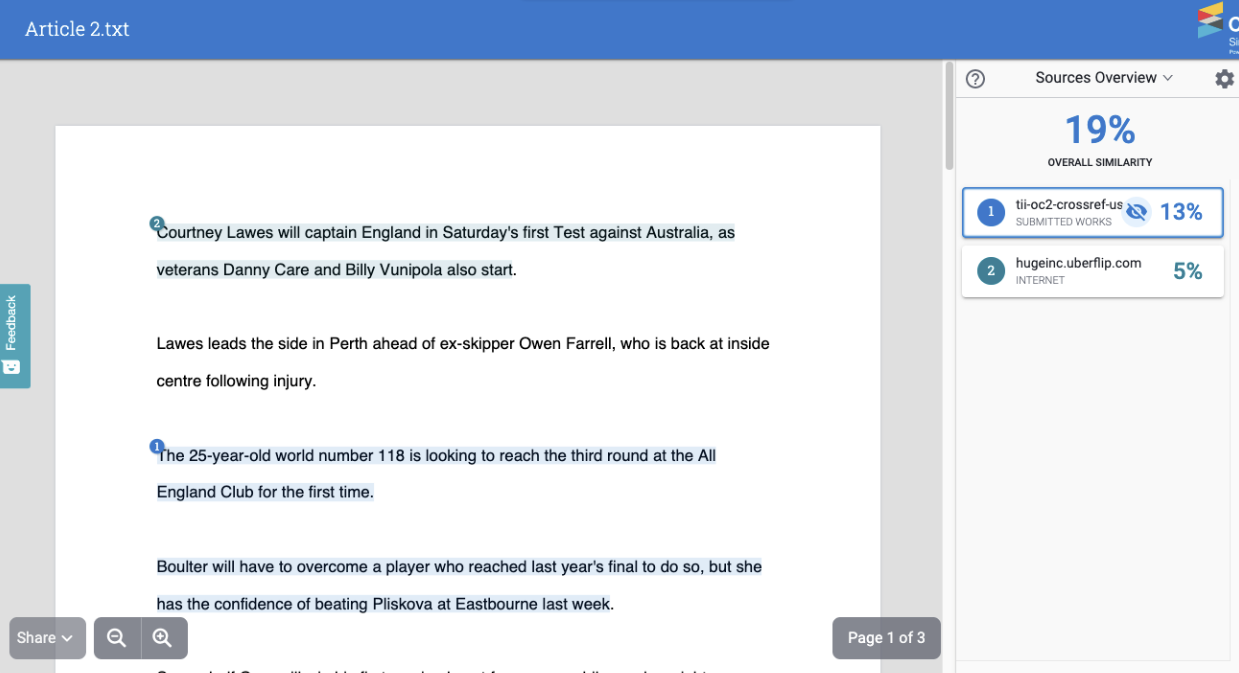
You have received a manuscript from Author 1 and have decided to index this manuscript into your Submitted Works repository. At some point later you receive a new manuscript from Author 2. When generating your Similarity Report, you have decided to check against your Submitted Works repository. There is a paragraph in the manuscript from Author 2 which matches a paragraph in the manuscript from Author 1. This would be highlighted within your Similarity Report as a match against your Submitted Works repository.
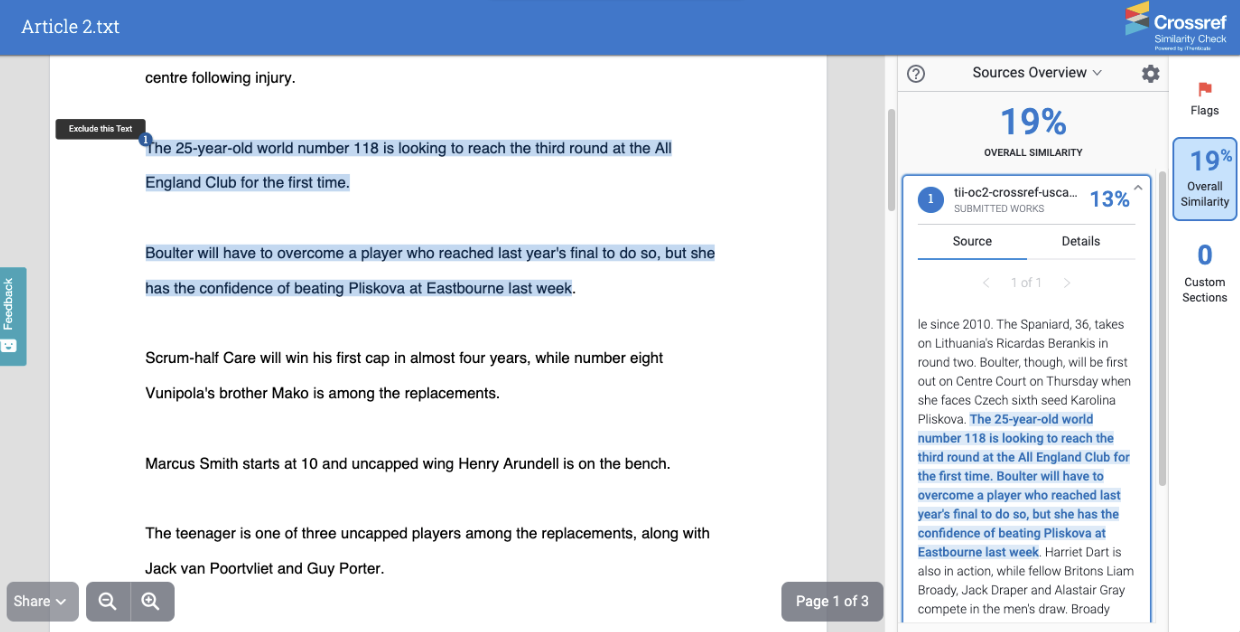
By clicking on this match you can see the full text of the submission you’ve matched against:
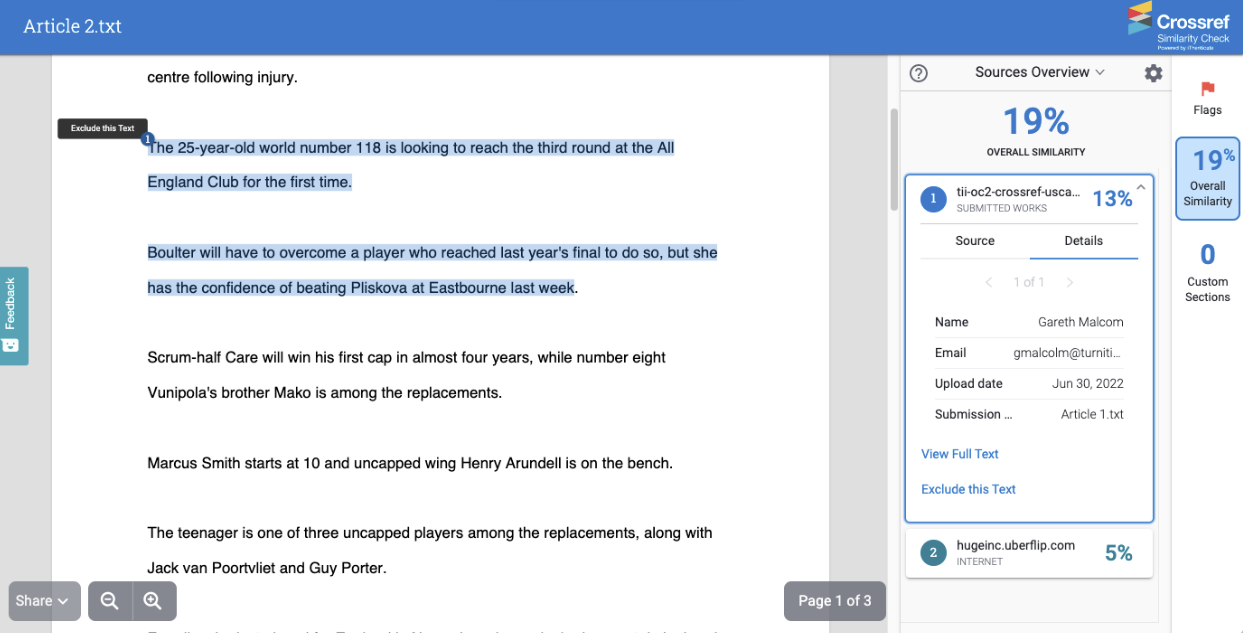
And details about the submission, such as the name and email address of the user who submitted it, the date it was submitted and the title of the submission:
The ability to see the full source text and the details can both be switched off individually.
Setting up the Submitted Works repository
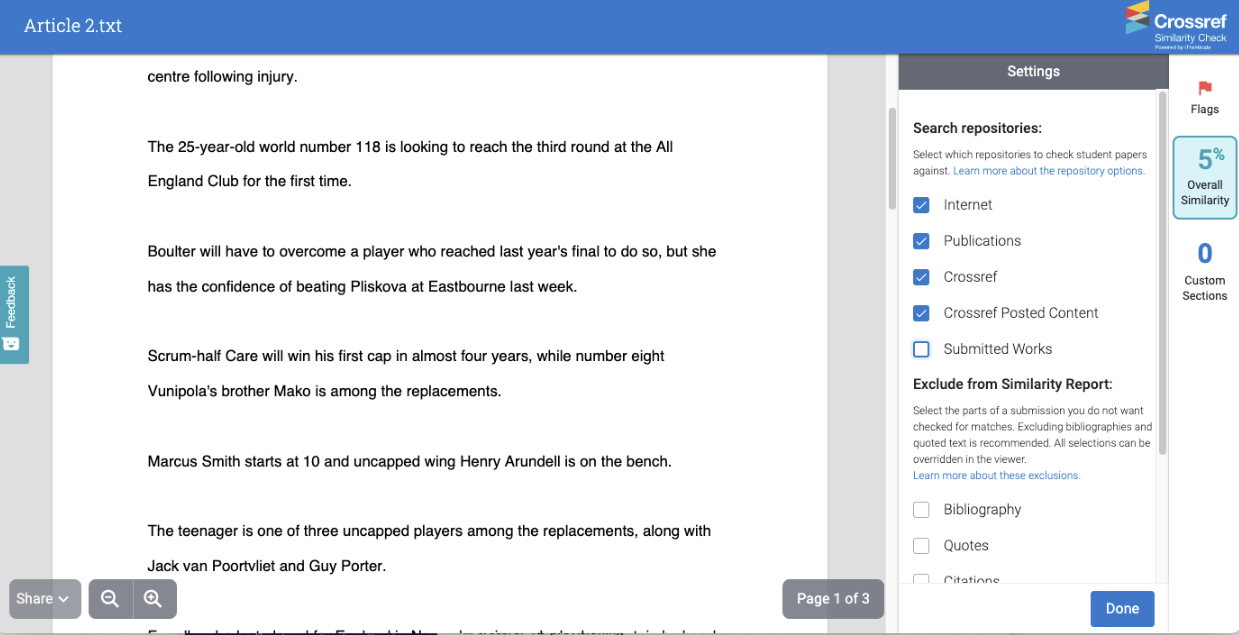
If you are using a third party integration then you should have options inside your MTS when setting up your configuration with iThenticate to decide whether submissions will be indexed to the Submitted Works repository and whether generated Similarity Reports will match against the Submitted Works.
Important: This feature means that sensitive data could be shared between different journals using your iThenticate account
The Submitted Works repository is shared across your entire iThenticate account. This means regardless of whether a submission was made natively from the iThenticate website or through an integration, all Similarity Reports which match against the Submitted Works repository will potentially match against any submissions which were indexed within it. This means that an editor working on one journal may be able to view submissions for another journal. If you are worried about giving your users access to sensitive data, we recommend switching this functionality off.
Submitted Works repository FAQs
Q. How much does this feature cost to use?
This feature comes free with every iThenticate 2.0 account.
Q. How many submissions can I index to my private repository?
There is no limit to the number of submissions you can index.
Q. Can I delete submissions from my private repository?
Yes. An Administrator can find and delete a submission using the Paper Lookup Tool. Go to Turnitin’s help documentation for more information.
Page maintainer: Kathleen Luschek Last updated: 2022-July-15