In December 2026, we plan to publish new Crossref Member Practices which will set out the standards we expect all Crossref members to meet. From August to October 2026 we are consulting with our members on a draft of these Member Practices. This blog provides the background to this, and explains how you can share your views.
The Crossref community in India is as diverse as the region that it represents, comprising 1605 members, 11 sponsoring organisations, and 5 ambassadors, who between them cover the length and breadth of this country. Between November 2025 and March 2026, we organised three webinars focused on supporting this community with best metadata and publishing practices. We collaborated with the Directory of Open Access Journals (DOAJ) and the Committee on Publication Ethics (COPE) to embed understanding of metadata’s role in the greater context of publishing integrity.
PID strategies are being written around the world right now, and the decisions being made will shape the scholarly record for decades. After 25 years running open scholarly infrastructure—now on behalf of 25,000 members in 167 countries—Crossref has an informed perspective on what those decisions should ideally rest on. Today we’re setting it out in our first position paper: Persistent identifiers in research infrastructure policy: the need for a holistic approach. You can read it online or download the PDF; it’s a 16-minute read.
Research is rarely limited to a single contributor performing a single role. Behind every research output are people contributing in various ways: software development, data analyses, methodology design, and much more. Often, the same person contributes in several of these ways. Until now, Crossref metadata could only capture part of that picture, but this is changing with Schema 5.5.
To work out which version you’re on, take a look at the website address that you use to access iThenticate. If you go to ithenticate.com then you are using v1. If you use a bespoke URL, https://crossref-[your member ID].turnitin.com/ then you are using iThenticate 2.0.
Manage your user account using the Account Information tab.
Your user account profile (v1)
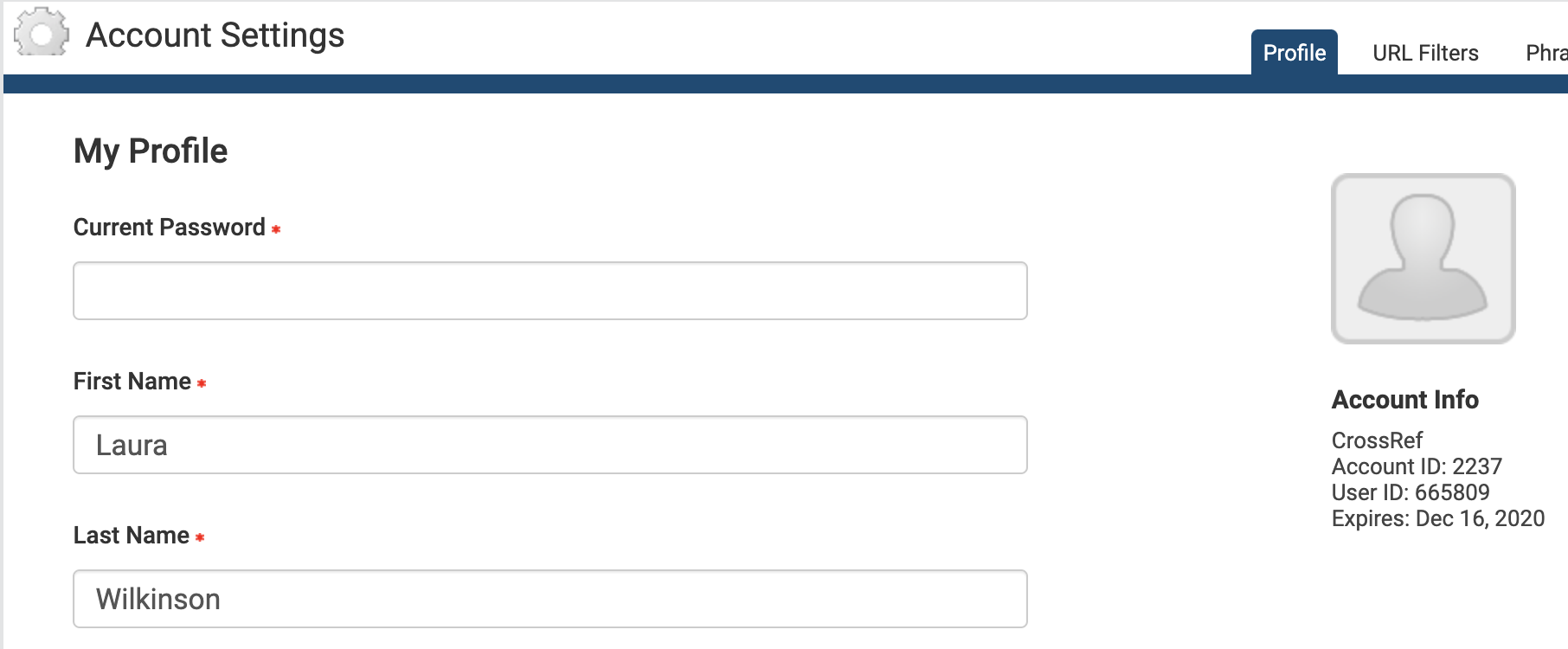
The Account Information section shows important information about your iThenticate account, including your account name, account ID, and user ID. Please ignore the iThenticate account expiry date - we’re working with iThenticate to have this removed. The iThenticate account expiry date is set to 1 June 2022 by default.
From Account Info, then My Profile, you can:
Update your profile: this form shows your current details. To make changes, enter your password in the Current Password field at the top of the form.
Change the name attributed to your account: enter the first and last name in the relevant fields. These fields are required, you cannot leave them blank.
Change your email address: enter your email into the email field. This email address is used to send you important account information, so please make sure it is valid. This field is required, you cannot leave it blank.
Add a photo to your account: click Choose File, and select the image file you want to upload.
Change your password: enter your current password in the Current Password field, enter your new password in the Change Password field, and enter it again in the Confirm Password field.
Click Update Profile to save your changes.
Page maintainer: Kathleen Luschek Last updated: 2020-May-19